

Your accounts and services have transitioned to Towne24 Business Online Banking. This page outlines important dates, service updates, training materials and answers to common questions.
We encourage you to review your account access, verify users and services, and familiarize yourself with the features available through Towne24.
Your First Login
Login instructions were emailed to all users on November 2. If you did not receive your instructions, please contact Treasury Member Care using the information below. The video featured here provides you with an overview.
Treasury Member Care: 844-638-6724
Monday – Friday | 8:30 AM – 6:00 PM
Managing User Roles & Permissions
Use these short instructional videos to learn how to manage user roles, assign permissions and configure allowed actions. Start with the user role fundamentals, or choose a specific topic below.
Getting Started With User Roles
Begin here to learn how user roles work and how different types of rights can be assigned.
Configuring Allowed Actions
Learn the fundamentals of Allowed Actions before moving into the individual configuration options.
Fine-Tuning Allowed Actions
Select a topic below for guidance on specific Allowed Actions settings.
User Role Policy Tester
Ready to review your setup? Learn about the User Role Policy Tester.
Please note: Admins will need to grant access to Bill Pay for all sub-users and establish user permissions. We recommend reviewing your scheduled payments and payees to ensure accuracy.
- If you have payments scheduled for the days immediately following November 2, we recommend confirming they appear correctly in Towne24.
- Review the correct funding accounts are associated with Bill Payments and Payees.
- Please note the P2P Bill Pay service was discontinued as part of this transition.
Information regarding your account number, routing number, and amount transitioned to the new system for your previously established transfers.
You need to re-establish the date for recurring transfers in Towne24.
- Re-establish the date you wish a recurring transfer will need to process.
- Some details for transfers you have established in the Dogwood system transitioned to TowneBank. This includes transfers between your Dogwood accounts or from your Dogwood account to an account at another financial institution.
Positive Pay services moved to Towne24. However, there are some key differences to note as you begin to use the system.
Positive Pay users received automated notifications prompting them to log in to Towne24 and review exception items. However, you will not have any exceptions to review on Monday, November 2. No action is needed at this time.
The Positive Pay Decision cutoff in Towne24 is 2:00 PM, which is later than the deadline available at Dogwood State Bank. It is important to note that any decisions not made will result in the item being returned.
Exception items are expected to become available around 7:00 AM each day.
Positive Pay email notifications and reminders, including alerts that exceptions are available for review, will be transitioned to Towne24.
If exception items are identified, you'll be prompted to review them and choose how they should be processed. Decisions should be submitted before the daily cutoff to ensure timely processing.
While we transitioned all users, account setups, and permissions, we recommend that you carefully review these items for accuracy.
Watch the Positive Pay tutorial for additional guidance on using Positive Pay in Towne24.
Watch the Positive Pay Tutorial →Positive Pay Video Tutorials
Find step-by-step video demonstrations to help you manage checks, review exceptions, access reports, and use Positive Pay tools.
Check Management
Add New Check Issue Manually
Watch Demo ›Submit New Issued Check File
Watch Demo ›Void a Check
Watch Demo ›Check Search
Watch Demo ›Exceptions & Reporting
Daily Checks Issued Summary Report
Watch Demo ›Exception Item Reports
Watch Demo ›Issued Check Processing Log
Watch Demo ›Exceptions Processing
Watch Demo ›Transaction Audit Reports
Watch Demo ›Setup & Administration
Create a New Check Issue File Definition
Watch Demo ›User Setup (Client)
Watch Demo ›ACH & Transaction Tools
ACH Authorization Rules
Watch Demo ›ACH Transaction Search
Watch Demo ›Transaction Extracts
Watch Demo ›After logging in to Towne24, please verify your ACH companies, templates, limits, funding accounts, and user access. If you regularly originate ACH transactions, we recommend reviewing your ACH settings and monitoring your first transactions. Towne24 also provides convenient online forms for services such as Same-Day ACH requests and temporary limit increases.
- Certain ACH debits and credits received may be posted earlier than their originally scheduled effective date. As a result, some transactions that would normally post on a future processing date may appear in your account after November 2.
- Please review the chart below that outlines some key differences for both ACH and Wire services.
Certain ACH debits and credits received may be posted earlier than their originally scheduled effective date.
Some transactions that would normally post on a future processing date may appear in your account after November 2.
Review important information about your ACH services and what to expect following the transition to TowneBank.
| Feature | Needs Attention? | What to Know |
|---|---|---|
| ACH History | YES | ACH History did NOT migrate to Towne24. |
| ACH Limits | NO | Your ACH Limits should have remained unchanged. |
| ACH File Formats | MAYBE | ACH file formats remained the same. However, companies that submit unbalanced files may need to submit balanced files going forward. |
| Offset Accounts | MAYBE | Offset accounts only changed if the underlying account number changed during the transition. |
| Approval Workflow | MAYBE | Approval workflow may have changed. |
| Company IDs | YES | ACH Originator ID(s) should remain unchanged. However, if you originate ACH transactions from multiple accounts, you may receive additional ACH Originator IDs so that each account has its own unique identifier. If this applies, they will be listed as multiple options in the "From Subsidiary" field in Towne24 for any of the ACH payment services you are entitled to use. If you share your Originator ID(s) with vendors, payroll providers, software applications, or other third parties, please review and update those records as needed. |
| Wire Drawdowns | YES | Notify vendors that process your wire drawdowns to update their wire instructions with the TowneBank routing number effective November 1, 2025. The TowneBank routing number is 051408949. |
| International Wires | YES | As of 10/30, switch over your PCBB instructions to TowneBank. |
If you participate in the ICS® (Insured Cash Sweep®) Program, here’s what you need to know:
ICS balances and rates will be visible in Towne24 beginning Tuesday, November 3.
Transaction activity is still available through the IntraFi portal.
ICS users that required new credentials will receive an email invitation to re-register. The invitation is valid for 24 hours from receipt. If you do not re-register within that period, you will need to contact Treasury Member Care to have a new email sent to you.
Choose the service you use below for the information you need to reconnect your accounts.
Visit our Migration Toolkit for instructions to reconnect your Quicken or QuickBooks accounts when the systems become available.
Go to Migration Toolkit →If you have linked Dogwood accounts using Plaid Exchange, you will need to re-link the account using the Towne24 URL below.
Re-Link Through Towne24 →Mobile Deposit Users
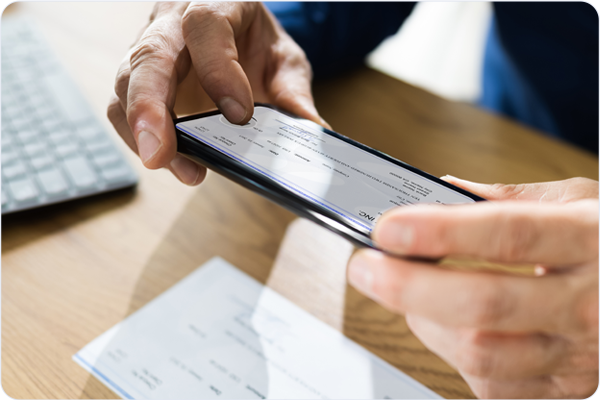
Mobile Deposit will be available as of November 2 with temporary limits that may be lower than your current deposit limit.
What to Know
Download the Towne24 mobile app to make single check deposits.
Temporary deposit limits are in effect until November 3.
Multiple-check mobile deposits are no longer supported within the mobile banking app. If you wish to continue using this service, we recommend talking to your banker about Remote Deposit Capture at TowneBank.
Certain fee structures may change.
Businesses Using Security Tokens
For Business Online Banking Authentication
What to Know
If you use a security token for transaction approvals, you should have been contacted by our Treasury Member Care team ahead of November 2 with instructions on your new token.
Have you not been contacted?
Please contact Treasury Member Care at 844-638-6724 , M-F, 8:30 AM-6:00 PM.
Here are some common account questions we'd love to answer for you.
-
No. You will need to re-establish alerts and notifications after your first login to Towne24.
-
ACH Originator ID(s) should remain unchanged. However, if you originate ACH transactions from multiple accounts using one ACH Company ID, you may receive additional ACH Originator IDs so that each account has its own unique identifier. If this applies, they will be listed as multiple options in the "From Subsidiary" field in Towne24 for any of the ACH payment services you are entitled to use.
-
The best way to contact support at TowneBank is to call our Treasury Member Care team at 844-638-6724, M-F, 8:30 AM - 6:00 PM.
-
If your business uses security tokens for authentication, you should have been contacted prior to November 2 to transition to TowneBank's system. If you were not contacted, please contact Treasury Member Care at 844-638-6724, M-F, 8:30 AM - 6:00 PM.
-
After your first login, you may need to re-enroll in electronic statements, re-establish alerts and notifications, verify account information and settings, and review user permissions, approval rights, and security settings. For your convenience, we've provided a video tutorial on user management.
-
Your ICS® relationship will continue following the transition. ICS balances and rates will be visible in Towne24 beginning Tuesday, November 3. Transaction activity will continue to be available through the IntraFi portal.
Some ICS users may have received instructions for new credentials. If you have questions, please contact our Treasury Member Care team at 844-638-6724, M-F, 8:30 AM - 6:00 PM. -
Positive Pay services moved to Towne24 and can access these services from with the system. Below are some key differences to note:
- New Exception Decision Deadline - the Positive Pay decision cutoff in Towne24 is 2:00 PM, which is later than the deadline available at Dogwood State Bank. It is important to note that any decisions not made will result in the item being returned.
- Exception Items May Not Be Available Immediately - Exception items are expected to become available around 7:00 AM each day.
- Automated Notifications Will Continue - Positive Pay email notifications and reminders, including alerts that exceptions are available for review will be transitioned to Towne24.
- Be Sure to Take Action on Positive Pay Exceptions - If exception items are identified, you'[ll be prompted to review them and choose how they should be processed. Decisions should be submitted before the daily cutoff to ensure timely processing.
- Verify all Users and Accounts - While we transitioned all users, account setups, and permissions, we recommend that you carefully review these items after November 2 for accuracy.
-
ACH Templates transitioned to Towne24; however, please note the following:
- Templates that had the same names in the Dogwood online banking system were transferred to Towne24 with numbers after the template names. For example, if your organization had three templates with the name 'Payroll' those transferred to Towne24 with the names Payroll1, Payroll2, and Payroll3.
- Templates that had special characters in the names transferred to Towne24 without those characters. For example, if your organization had a template named Template #1, it transferred to Towne24 as Template1.
-
We do not anticipate any additional downtime after the weekend of October 30-November 2; however, you will won't receive exceptions for check and ACH Positive Pay transactions until Tuesday, November 3.
Quicken and QuickBooks users need to follow the steps to re-link your accounts within those platforms. You can find detailed instructions here.

Please contact your local banker or banking office with account questions. For Online Banking, please contact one of our member care teams.
844-638-6724 | M-F, 8:30 AM - 6 PM
Your mobile carrier's web access charges may apply. Availability may be affected by your mobile carrier's coverage area.
*Mobile check deposit is subject to eligibility and further review. Deposits are subject to verification and not available for immediate withdrawal. Deposit limits and other restrictions apply.