

Business Checking with Mobile Deposit: Streamline Your Finances
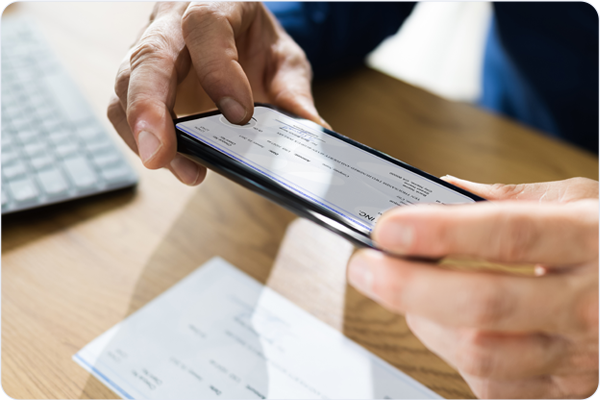
With busy lives and even busier business days, small business owners need to be on the lookout for ways to save time by streamlining their business processes, and TowneBank’s dedicated business bankers are here to help. We get to know our business members and their small businesses personally so that we can recommend powerful banking tools and products, like business checking with mobile deposit. We’re committed to saving you time with mobile banking for business and exceptional service, so you can focus on higher-value tasks, like growing your business.
Introducing Business Checking with Mobile Deposit
TowneBank offers a full suite of deposit account products designed specifically for small businesses. Each includes a slightly different set of features, perks, limitations, and fees to appeal to a range of different businesses. While each account differs in the details, all of our small business checking accounts and business savings accounts can be considered mobile deposit business accounts because they all include access to mobile banking and mobile check deposit.
What is Remote Check Deposit?
To understand why remote check deposit (also called mobile check deposit or remote deposit capture) is such a powerful tool for business owners, you need to understand what it is and how it works.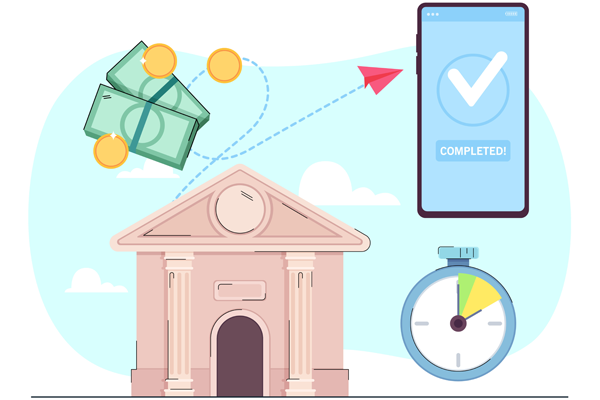
A remote check deposit is a feature of a mobile deposit business account that enables account holders to deposit checks without physically dropping them off at the bank or physically mailing them to the bank. Instead, with remote check deposit, an account holder uses their mobile device (like a mobile phone, Android, iPhone, tablet, or iPad) and secure software within the bank’s mobile banking app to virtually deposit one or more checks from anywhere.
How Does a Business Checking Account with Mobile Deposit Work?
To use remote check deposit, a small business owner must first open a business checking account with mobile deposit, enroll in online banking, and download the mobile banking app from the App Store or Google Play.
Next, they navigate to the mobile deposit feature within the app. The app will then take the business owner through step-by-step instructions for depositing a check.
To begin the process, be sure to endorse the check properly with your name, account number, and a restrictive endorsement that reads “for mobile deposit only” written clearly below your signature.
Next, the mobile app should prompt you to snap a photo of the front and back of the check. Business owners can use their mobile devices to deposit individual checks or special check-scanning equipment to capture multiple check images at a time.
The mobile app will then create a deposit file based on the data scanned from the electronic images of the check to be remotely deposited. The scanner will read the check amount, account number, and routing number and verify the deposit with you. Once you’ve approved the details, the mobile app securely transmits the file to the bank for processing and funds collection.
3 Key Features and Benefits of Mobile Deposit Business Accounts
Business checking with mobile deposit is a powerful tool for business owners that offers valuable benefits and enhanced security.

1. Saved Time
The primary benefit of any mobile deposit business account is the time saved on unnecessary trips to the bank. Having a business checking account with mobile deposit means business owners no longer need to visit the bank as often to drop off check deposits. They no longer need to wait in line for an available bank representative, and they no longer need to wait while a bank teller processes their transaction.
2. Funds Availability
Additionally, the funds collection process begins as soon as the bank receives the remote deposit, so businesses can improve their cash flow by depositing funds into their accounts more quickly. Depending on the check deposited and the bank’s funds availability policies, the funds might be available as soon as the next business day or even on the same day in some cases.

3. Focus on Core Business Functions
Fewer trips to the bank for depositing checks means fewer disruptions during the day and more time to focus on higher-value tasks like your core business functions, sales, strategy, and goals.
Remote Check Deposit Security and Compliance Features
Mobile deposit business accounts are designed with built-in security features to optimize compliance with PCI DSS and other cybersecurity regulations. The business mobile apps that facilitate remote check deposit use several security tools to safeguard information throughout every step of the mobile deposit process. These features include encryption and tokenization, in addition to multi-factor authentication, device authentication, touch ID, biometrics, and secure notifications.
3 Ways to Choose the Right Business Checking Account with Mobile Deposit

Knowing Your Business's Banking Needs
Consider transaction volume, transaction amounts, and optimal minimum account balance.

Choosing the Right Member FDIC Banking Partner
Consider the types of accounts available, level of service received, and customer support availability.

Selecting an Account Package That Delivers the Best Bang for Your Buck
Compare perks and features with service fees, monthly maintenance fees, transaction limits and fees, and deposit limits.
Deposit Checks with Ease: Find Out How Business Checking with Mobile Deposit Could Benefit Your Business
If, like most small business owners, you struggle to find enough time in the day to get everything done, then business checking with mobile deposit could help you! We invite you to call or stop by a local TowneBank office to let us introduce you to the best online business bank account with remote check deposit for your small business today.
TowneBank’s business members have a variety of business checking and savings accounts to choose from, as well as options for business online banking, business mobile banking, and remote check deposit. Our dedicated local business bankers can meet with you one-on-one to explain all of your options, answer your questions, and get to know your business before helping you determine which accounts and features will integrate with your operations and best meet your needs.
Let's Connect!
Please complete the short form below to have a banker contact you at a time that is most convenient for your schedule.